Slug: select-sequence-photo-story
Tags: Photography, Critical Thinking
Meta description: Turn a crowded camera roll into a clear photo story with a practical method for selecting, sequencing and captioning your strongest images.
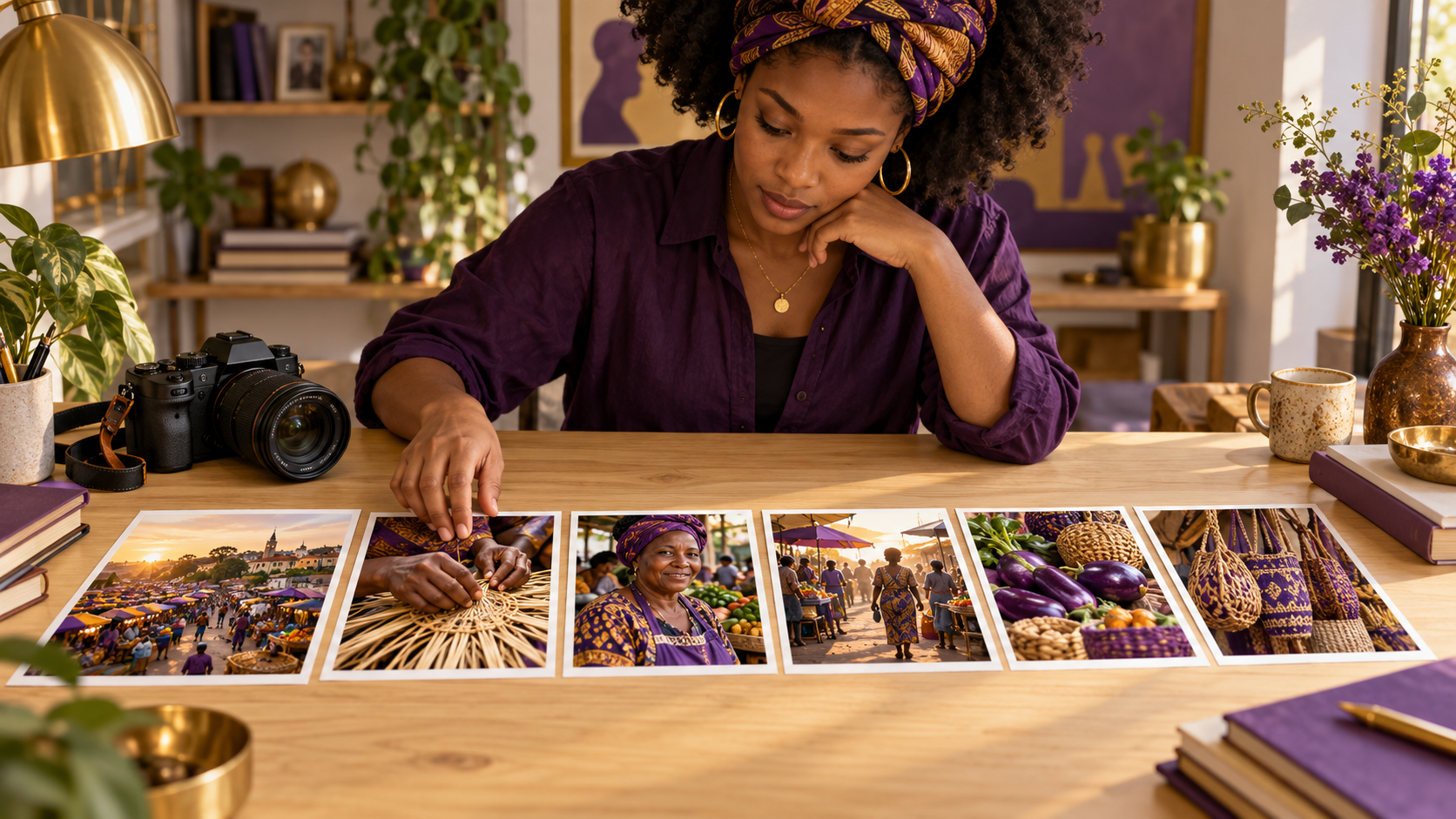
Featured image: conceptual AI illustration. The photographer and photographs depicted are fictional.
You return from a shoot with two hundred photographs and a familiar problem: almost every frame means something to you, but the collection says very little to anyone else. The solution is an editorial decision. Which images help a stranger understand what happened, why it matters and where to look next?
A photo story needs more than attractive individual pictures. It needs a reason for those pictures to sit together. This guide offers a practical editing exercise for independent photographers, small businesses and creators assembling a website gallery, portfolio or short visual essay. The workflow below is editorial guidance, not a scientifically validated formula.
Start with one sentence
Before rating an image, complete this sentence: “This sequence shows…” Be specific enough that the sentence excludes something. “A market” is a location. “The work that happens before a market opens” gives your selection a purpose. A business might choose “How a handmade order moves from raw material to finished package”.
That sentence is provisional. Your photographs may reveal a better story than the one you intended to make. If so, revise the sentence honestly. Do not force the pictures to imply an event or relationship that you did not observe.
Make a selection without destroying the archive
Create a working collection or duplicate folder, then leave the originals intact. Rejecting a photograph from a story does not mean it has no future value. A technically awkward frame might later explain a location, identify an object or preserve a moment missing from your polished selection.
The Library of Congress guidance on digital photographs recommends descriptive filenames, an organised folder structure and copies stored in different places. Those preservation habits provide a useful foundation for editing: keep your source collection secure while you experiment with a smaller presentation set.
Give each photograph a job
Try assigning each candidate a role: an opening view that establishes place, an image that introduces a person, a frame showing action, a detail that rewards closer attention, or a closing image that leaves a useful final impression. These are options rather than mandatory slots. A story about a single object may need no portrait; a portrait essay may need no panoramic scene.
Ask what new information each frame contributes. Five lovely close-ups of the same hands may repeat one point. One close-up, a wider view of the workspace and a picture of the completed object can give the reader a fuller understanding. Keep repetition when it deliberately demonstrates change or variation, and remove it when it merely records your difficulty choosing.
Separate technical quality from narrative value
Inspect focus, exposure, distracting edges and whether the image remains legible at its intended size. Then make a separate judgement about meaning. The sharpest frame is not automatically the strongest storyteller. Equally, emotional attachment does not make an unreadable photograph effective.
For a hypothetical workshop story, a perfectly lit empty room could establish the environment, while a slightly imperfect frame of the maker fitting the final part might communicate the central action. You may need both. The choice depends on the story and publication context rather than a universal sharpness score.
Build a first sequence of six to eight images
Use a contact sheet, thumbnail grid or small prints so you can see the whole group at once. Start with a short sequence as a constraint, not a rule about the correct number of photographs. A limited set makes duplication easier to notice.
For an imagined craft-market essay, a first edit might move from the empty square to a stall being assembled, a maker at work, a close detail of the product, a conversation with a visitor and the packed stall at closing. This example describes a possible structure; it is not a claim about a real event.
Next, try a second order. You could begin with a striking detail, reveal the person responsible and then pull back to show the setting. Compare what the reader learns in each version. Chronological order suits some stories, but a thematic sequence can work when its arrangement does not falsely imply chronology.
Check the meaning created between images
Two truthful photographs can create a misleading suggestion when placed side by side. A worried face followed by damaged goods may imply that the person caused the damage, witnessed it or reacted to it. If that connection is unsupported, change the sequence or supply clear context.
This is the most important critical check in the exercise. Ask a reader to describe what they believe happened. Where their interpretation exceeds your evidence, examine whether selection, sequence or wording caused the gap. Avoid using a caption to patch a fundamentally misleading pairing.
Write captions from your notes
Record names, place, date and the visible action where known and appropriate to share. Check spellings and distinguish observation from interpretation. “A trader waits beside her stall” describes a visible situation. “A trader fears losing her livelihood” claims an internal state and requires support beyond an expression.
A caption should add relevant context rather than repeat the obvious. If you do not know an object’s purpose or a person’s role, do not guess. Use a broad accurate description or leave the detail out. For accessibility, write useful alt text that describes the meaningful visual content; a caption and alt text can serve different purposes.
Test the edit on a small screen
Open the sequence where people will actually see it. Check whether fine details disappear, portrait crops remove important context or a wide image becomes too small to read. Preview the order in the intended gallery or article layout rather than relying only on large desktop previews.
Do a removal test: hide one photograph and read the sequence again. If the story becomes clearer, leave it out. If an important transition disappears, restore it or choose a better connecting frame. Then ask someone unfamiliar with the shoot three questions: What is this about? Where did you become confused? Which image stayed with you?
Where AI can fit—and where judgement stays
If your editing software offers automated grouping, captions or image descriptions, treat its output as a proposal that needs checking. Verify names, actions and contextual claims against your own notes. A plausible caption can still be wrong.
For documentary work, keep generated illustrations and materially altered images clearly distinguishable from photographs of actual events. Do not generate a missing scene and quietly insert it as if you captured it. If a transition was not photographed, a short factual paragraph may be the honest solution.
The business value of a strong edit is a clearer portfolio or product story. The human challenge is letting go of pictures that mattered during the shoot but add little for the audience. The useful role for AI is assistance within a workflow whose final claims and choices you can explain.
Finish with an edit you can defend
Save the chosen order, final captions and export settings together. Keep a note explaining the story’s scope and any limitations. That small record makes future reuse easier and helps another editor understand what the sequence does and does not show.
For the next stage, see MaryChuks.com’s guide to preserving a photo archive. Selection determines what an audience sees today; preservation keeps the wider record available tomorrow.
Your final gallery should answer a simple question: why is every image here? When each frame adds information, context or a deliberate visual pause, a crowded camera roll becomes a story someone else can follow.
Discover more from Marychuks.com AI, Psychology, Business & CreativeVerse
Subscribe to get the latest posts sent to your email.